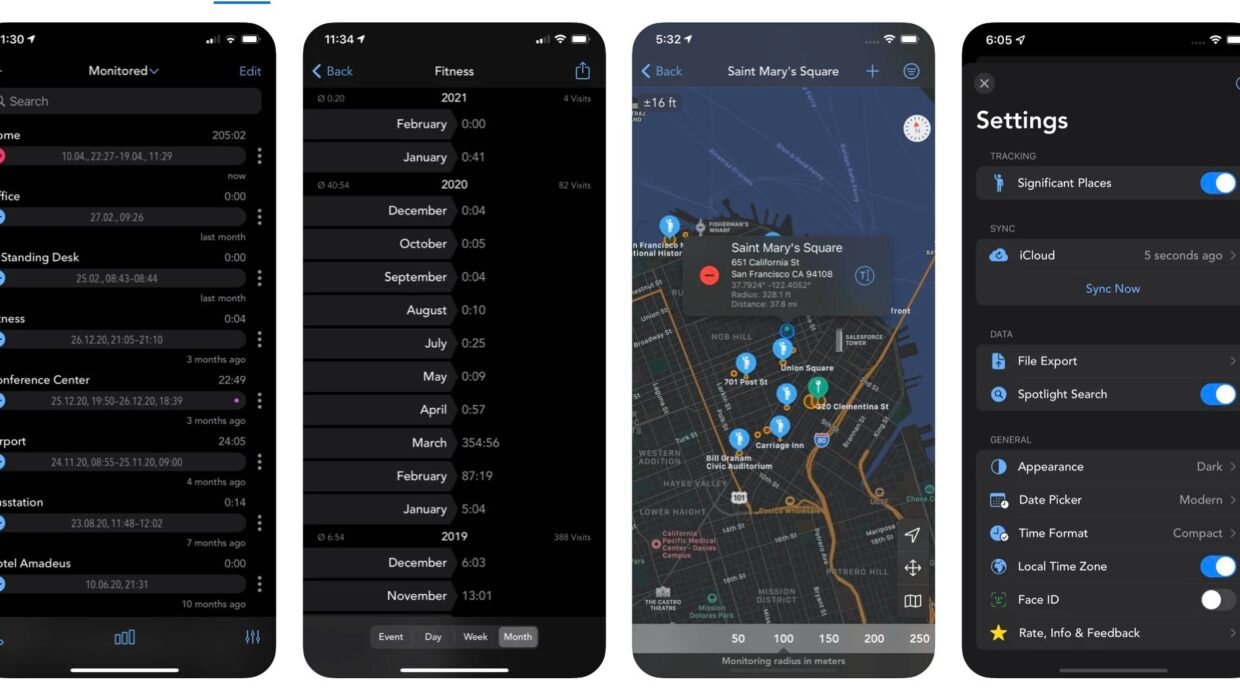

If you freelance, bill by the hour, or just want an honest picture of how long you spend at your desk, logging time by hand is a chore that’s easy to forget. Geofency does it for you, using location-based automation to clock you in and out when you arrive at and leave the places you work. It’s been around for over a decade and is still updated regularly, and it remains the best app we’ve found for this kind of tracking – with no subscription in sight. Here’s how to set it up.
After purchasing and downloading Geofency for a refreshingly one-off fee ($5/£5), begin by adding a location to the app using the + icon in the top-left of the app’s interface. You might consider setting a home office location, a city office, or client addresses – it’s possible to add locations using your iPhone or iPad’s current GPS location, or by searching for addresses.
Once locations have been added, Geofency begins logging your hours automatically in the background.
The app’s main page shows periods of logged hours, while graphical data can be viewed using Geofency’s middle tab (with data being broken down into single, day, week, and month summaries). Geofency promises to auto-log your hours while preserving good battery life – the app relies on Wi-Fi and cell towers to determine your location (which are more power efficient), rather than constantly firing off battery-draining GPS positioning checks.
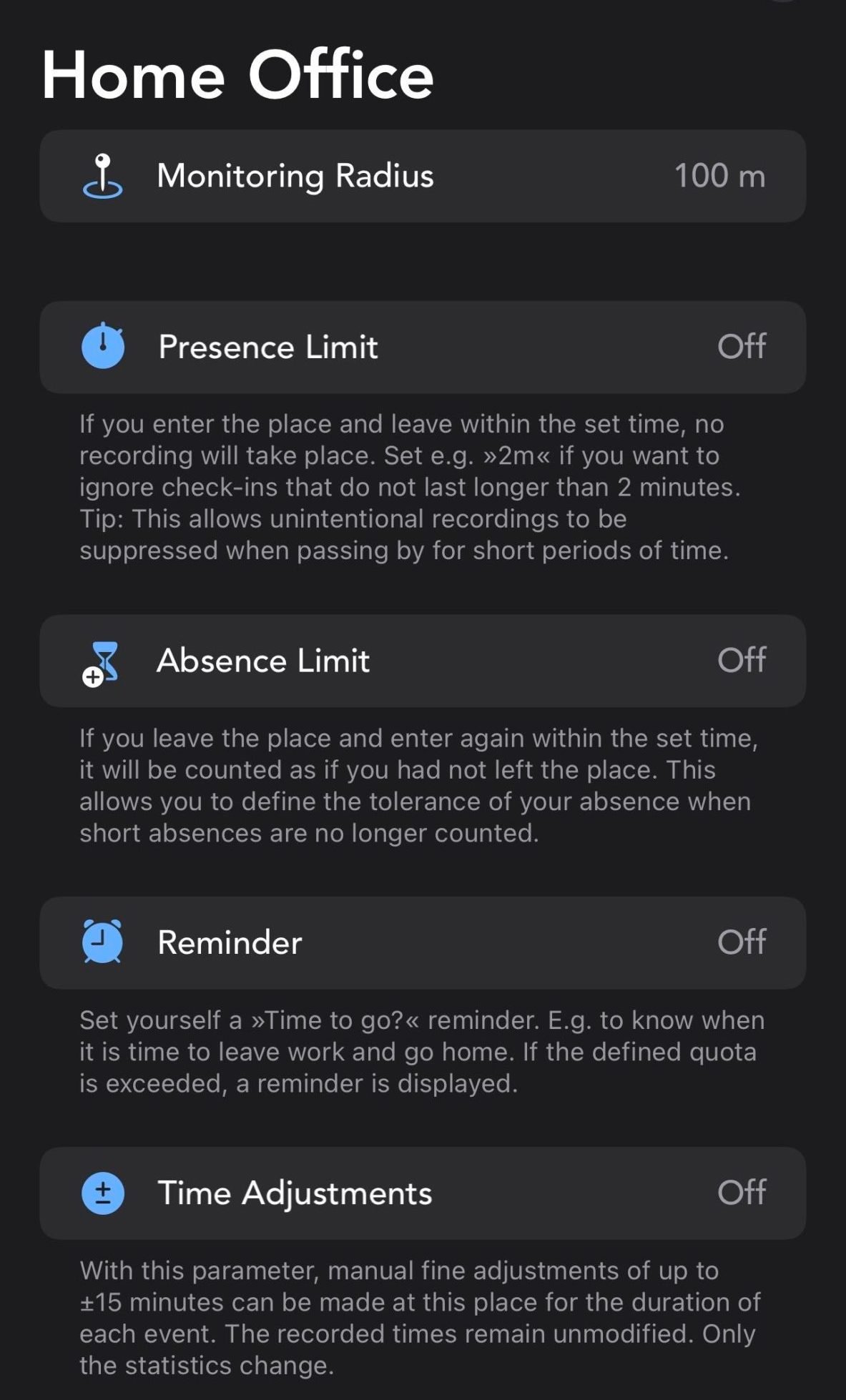
Individual locations can be fine-tuned by tapping the three dots alongside an area, choosing Settings, and selecting Fine Tuning. There, details such as presence and absence limits and a monitoring radius can be configured to provide an even more reliable and accurate time-logging system.
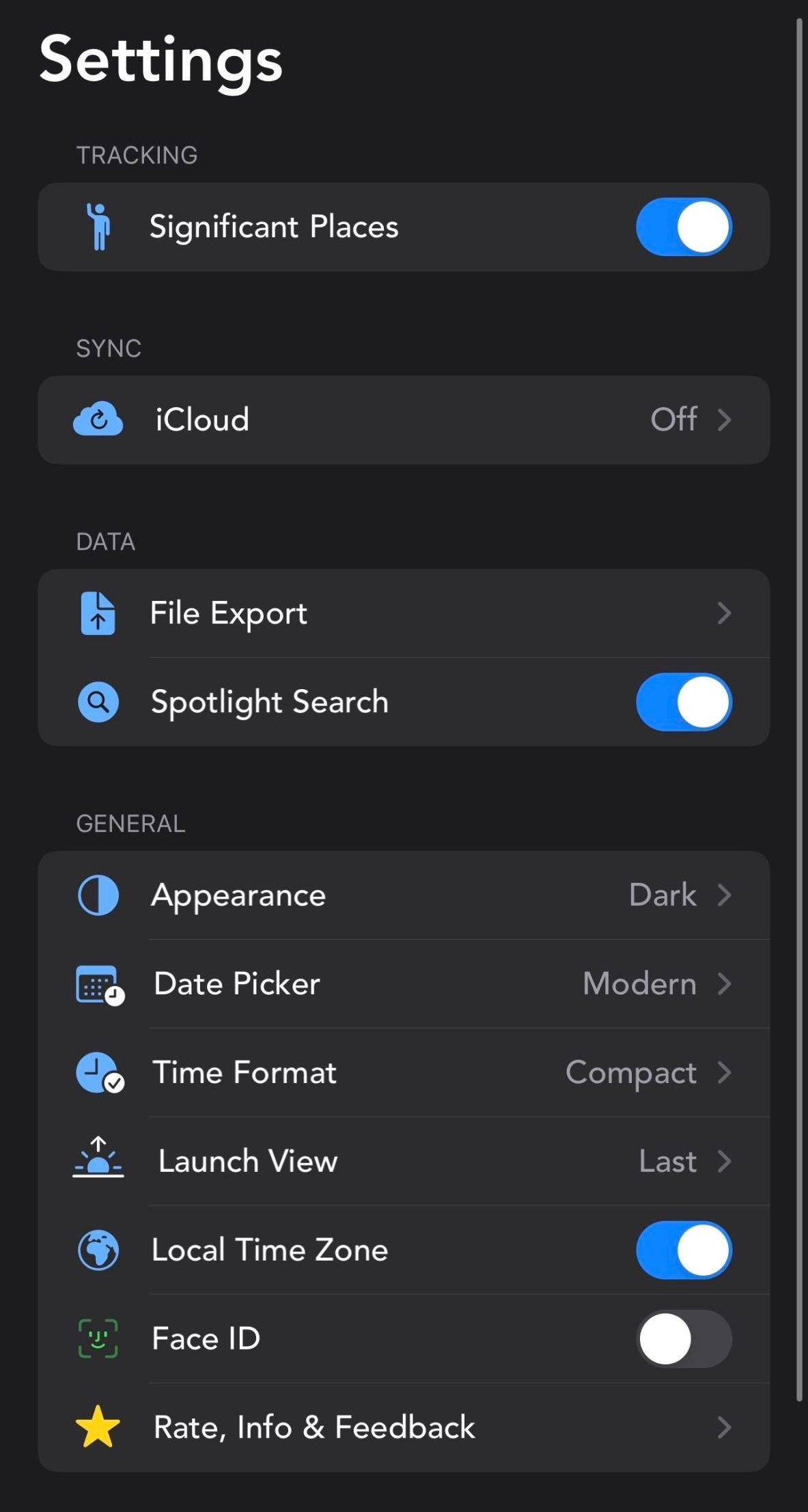
A third and final tab grants access to Geofency’s settings. Here, you can export your logged hours as a CSV or text file, and you can tweak the app’s appearance, time format, and launch view. Added privacy is also on offer in the form of Face ID protection for Geofency.
Alongside an app for iOS and iPadOS, Geofency is also available on watchOS and macOS. For anyone who regularly logs their hours using an iPhone, iPad, or Mac, this app is a must-have.